Skip to content

Tattoo studio software · UK

Your art.Your books.Your call.

Manage enquiries, keep chats, make bookings and get consent in one workspace.

No card to start. No call required.

Get all the features from £29/month for solo artists. See fees →
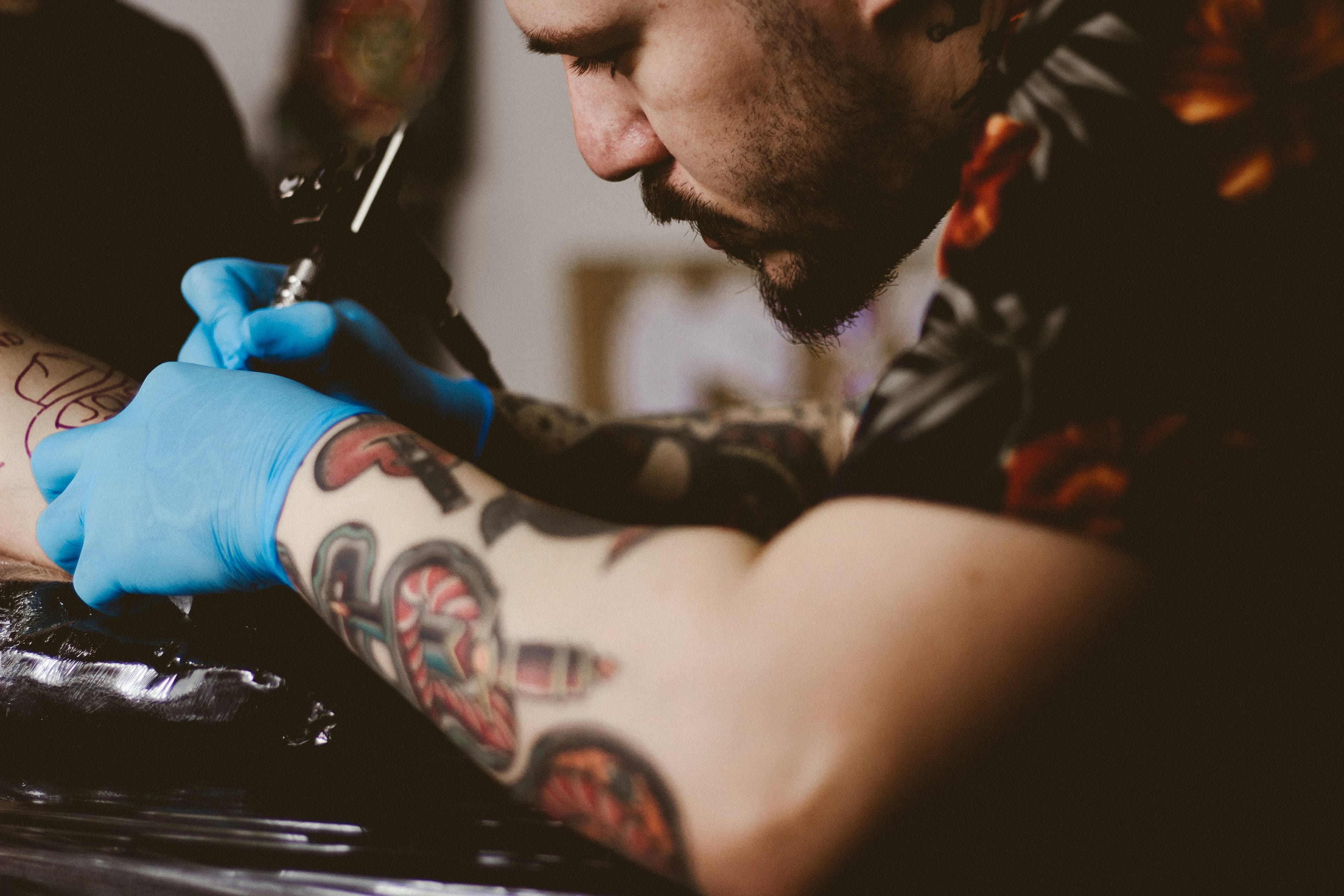
Tattoo artist concentrating on a piece in progress
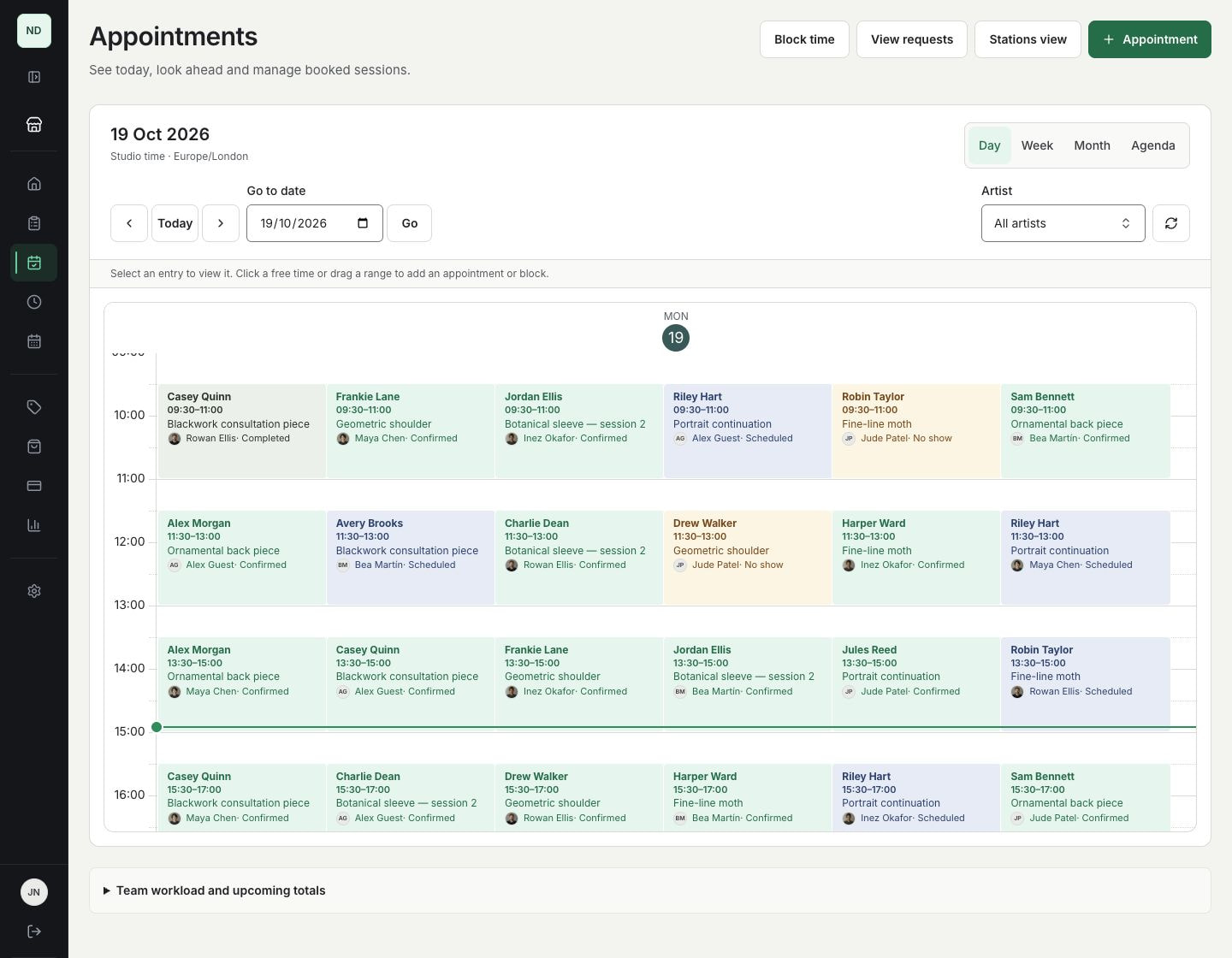
InkWell artist calendarView full size
InkWell day calendar showing thirty tattoo sessions across six fictional artists, with client names, artist photos or initials and recorded session outcomes.
Real product screen · example clients and figures

Studio-branded 3D placement

You approve every appointment

Get every feature on every paid plan

Meet your workspace

Your chair, in digital.

From idea to session →

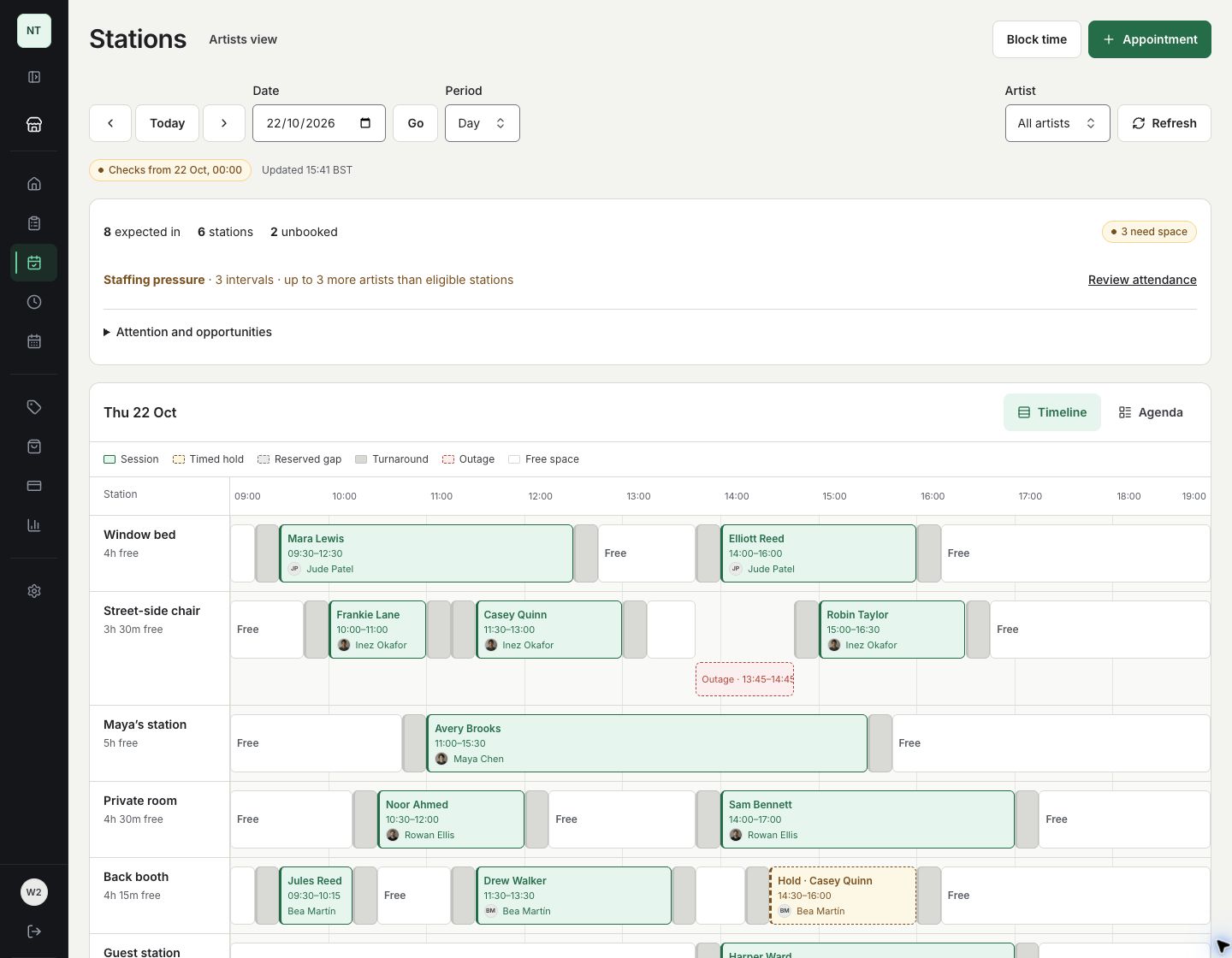
A sleeve session, a short visit and a held slot. See what fits around them.

InkWell station calendarView full size
InkWell station timeline in a fictional eight-artist studio, with long and short sessions, a timed hold, turnaround, free space and an outage across six stations.
Real product screen · example clients and figures

Whether you’re solo or part of a studio, plan your day and see the space you need.

Working solo? Just set up your own chair and go. No need to add stations.

Set up your studio

Around the tattoo

All the details, handled.

3D tattoo placement

Let clients try out placement and approximate coverage on an interactive body model, with your studio logo in the scene. Their saved guide arrives with the enquiry. You agree the final size and position together.

Try the 3D demo →

The whole idea. In one brief.

Tattoo ideas, placement, rough size and private image uploads arrive together.

Tattoo enquiries →

Pick up where you left off.

Keep chatting after you book, including with phone clients and walk-ins. Share quotes and receipts; clients reply without an account.

Conversations and quotes →

Keep the payment in view.

Ask for a deposit, full payment or balance when Stripe collection is enabled. Check reminders before sending and share confirmed receipts.

Client payments →

Paperwork, before ink day.

Optional digital consent and a health questionnaire. Clients sign with a typed name; staff review encrypted health answers.

Digital tattoo waivers →

A page that feels like you.

Show your portfolio, introduce your artists and use your own branding and domain.

Your studio online →
See everything included in your plan →

Studio-branded 3D placement

3D tattoo placement

Give clients a way to show what they have in mind before their enquiry reaches your inbox. Useful for big pieces, sleeve coverage or finding the right spot.

Try the placement planner

Try it as a client would. Place a shape, explore sleeve coverage and see how a placement guide starts the conversation.

On your studio page, your own logo appears beneath the body.

No account needed. Nothing is submitted or saved to an account.

All the tools.
A plan for your artists.

Every paid plan includes every feature and non-artist staff at one location.

Solo

1 active artist

£29/month

Studio

Up to 10 active artists

£99/month

Every feature included. Non-artist staff included. No InkWell payment commission.

Stripe processing fees are separate. Prices are in pounds sterling; review the subscription total before you pay.

Get started on your terms

Make it yours.
Then make it live.

No card or business verification needed to get started. Choose your monthly plan when you're ready.

  1. 01

    Create your account

    Add your studio name and page address. Your page starts private.

  2. 02

    Make it feel like you

    Add your work, artists and services. Choose what to ask clients and take a look at your private page.

  3. 03

    Open your books

    Choose a monthly plan and complete business verification. Once the publishing checks are done, make your page live and share your link.

A few things worth knowing.

Can I set this up myself?

Set up InkWell yourself. No call required. Prepare your page at your own pace, with a guide and optional help if you want it.

Does an enquiry reserve a slot?

You review the brief and agree the artist, price and time. You then book the appointment yourself. A quote or payment doesn't reserve it automatically.

Can I book phone clients and walk-ins?

Book phone clients and walk-ins straight from your calendar. Choose the artist and agreed time, check there's suitable space and decide how they'll pay. Use online payment requests when enabled, or keep your usual payment arrangements.

Can clients enquire without an account?

Yes. Clients send their idea and references through your studio link and use a private emailed link to continue the conversation.

What do I need before going live?

Build and preview your page before business verification. When you're ready to go live, save your legal seller details and complete Stripe business verification and any InkWell seller review before publishing. Request deposits, full payments or remaining balances when online payments are enabled for your studio and your Stripe account is ready. If payment requests are switched off, keep your existing payment arrangements.

More questions, answered →

Make it your studio's space.

Add your work. Shape your enquiry form. Preview your page privately before you choose a plan and go live.

Set up InkWell yourself. No call required.